Communicate with Developers in iOS 17 or earlier
This guide explains how to communicate with developers of apps under development.
Adding Comments to a Distribution Page
This feature is not available on devices running iOS 17 or later.
You can communicate with developers by posting comments on the distribution page. For instructions on how to install an app shared via link distribution, please refer to this page.
-
Tap
Comment Boardat the bottom of the screen.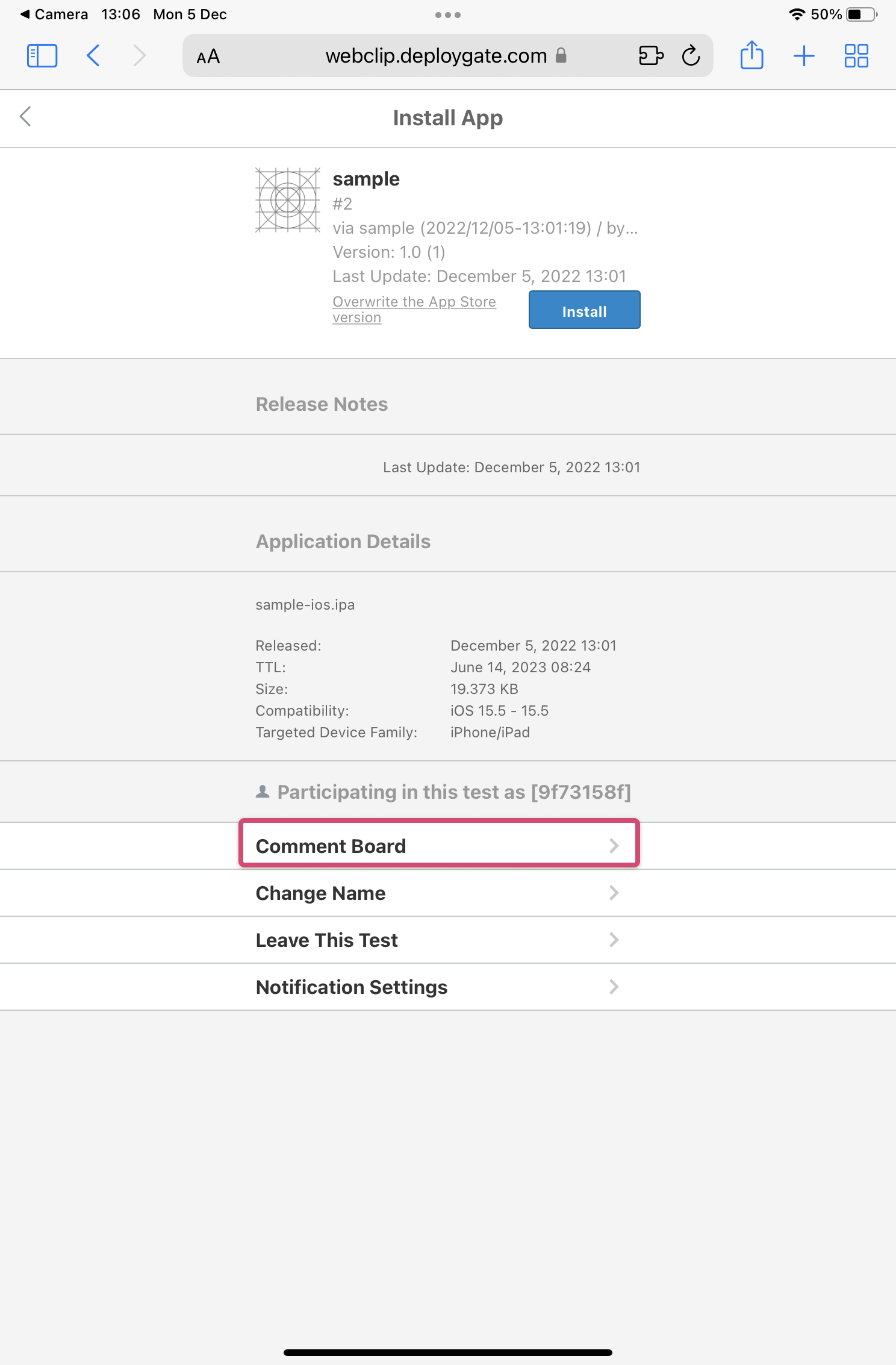
-
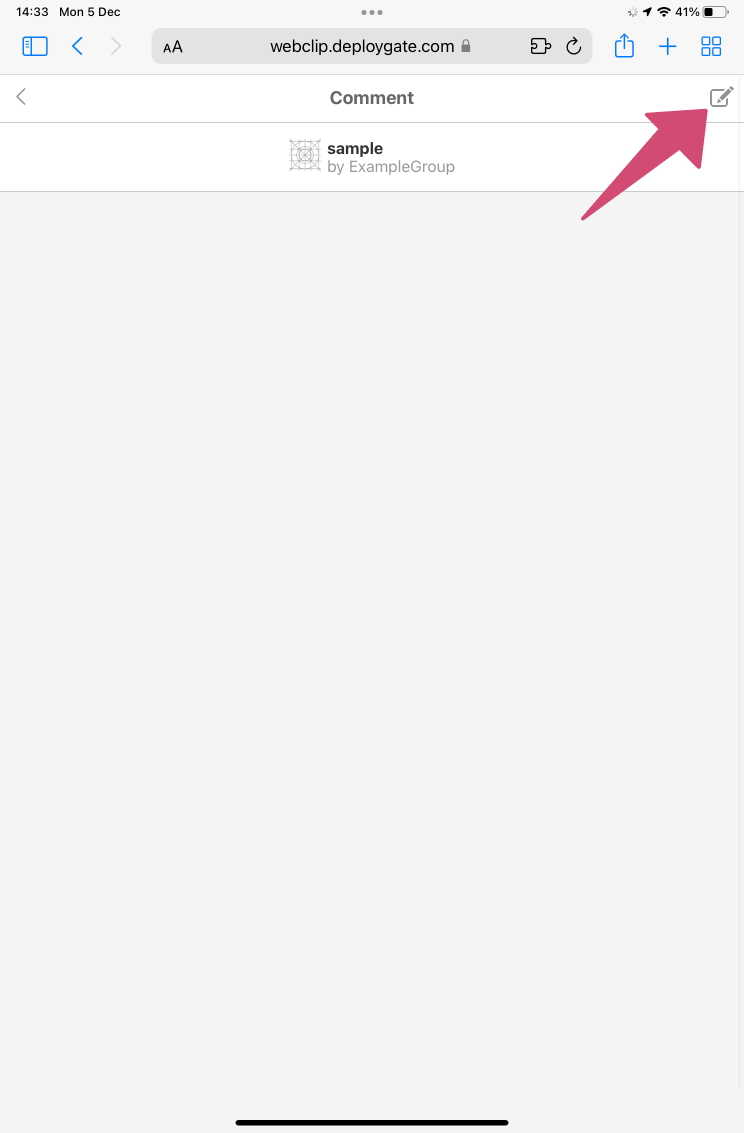
When the following screen appears, tap the icon in the upper-right corner.
-
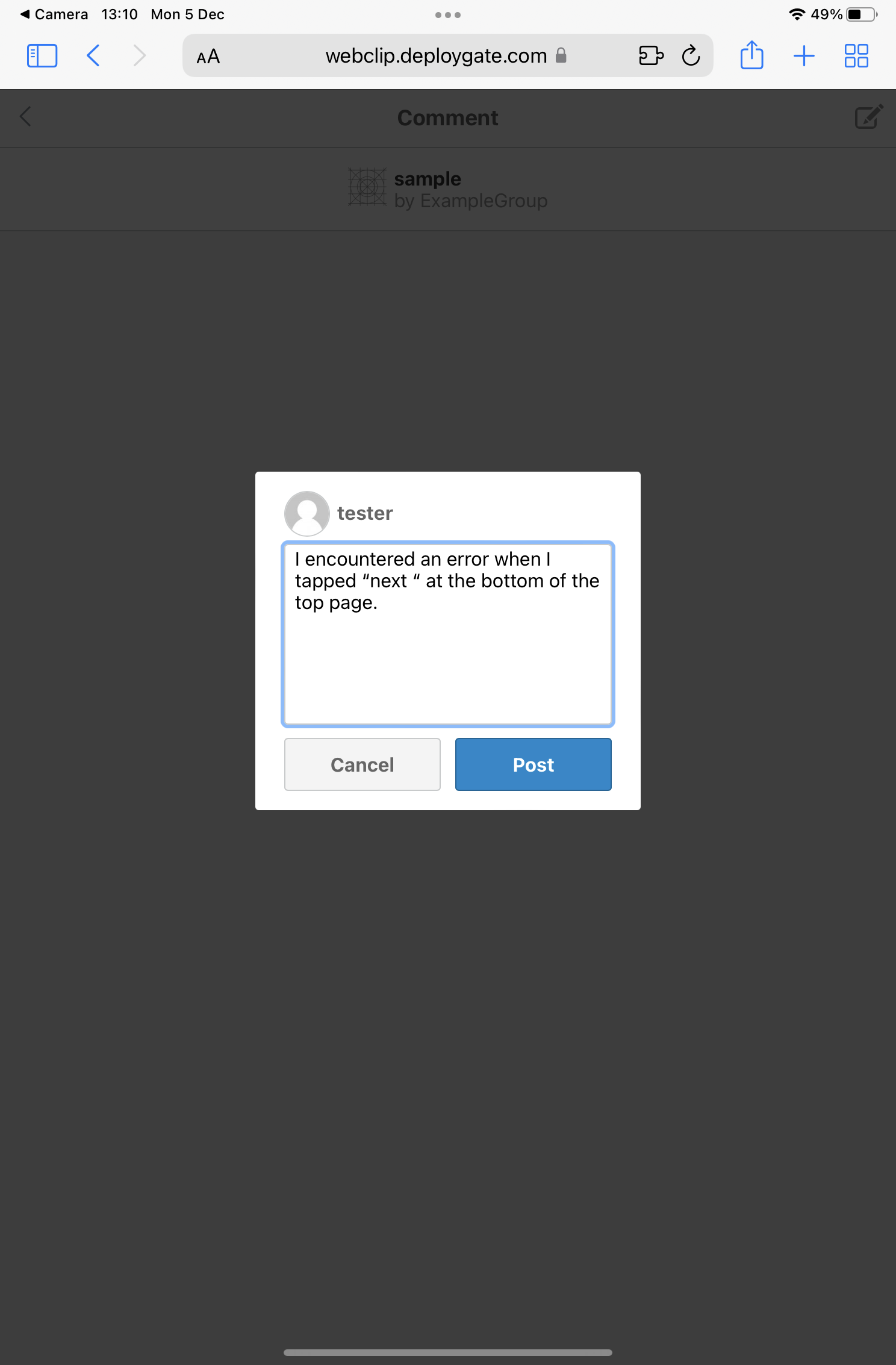
Enter your comment in the text box that appears.
-
Tap
Postand confirm that your comment appears on the screen. You can also view messages from the developer on this screen.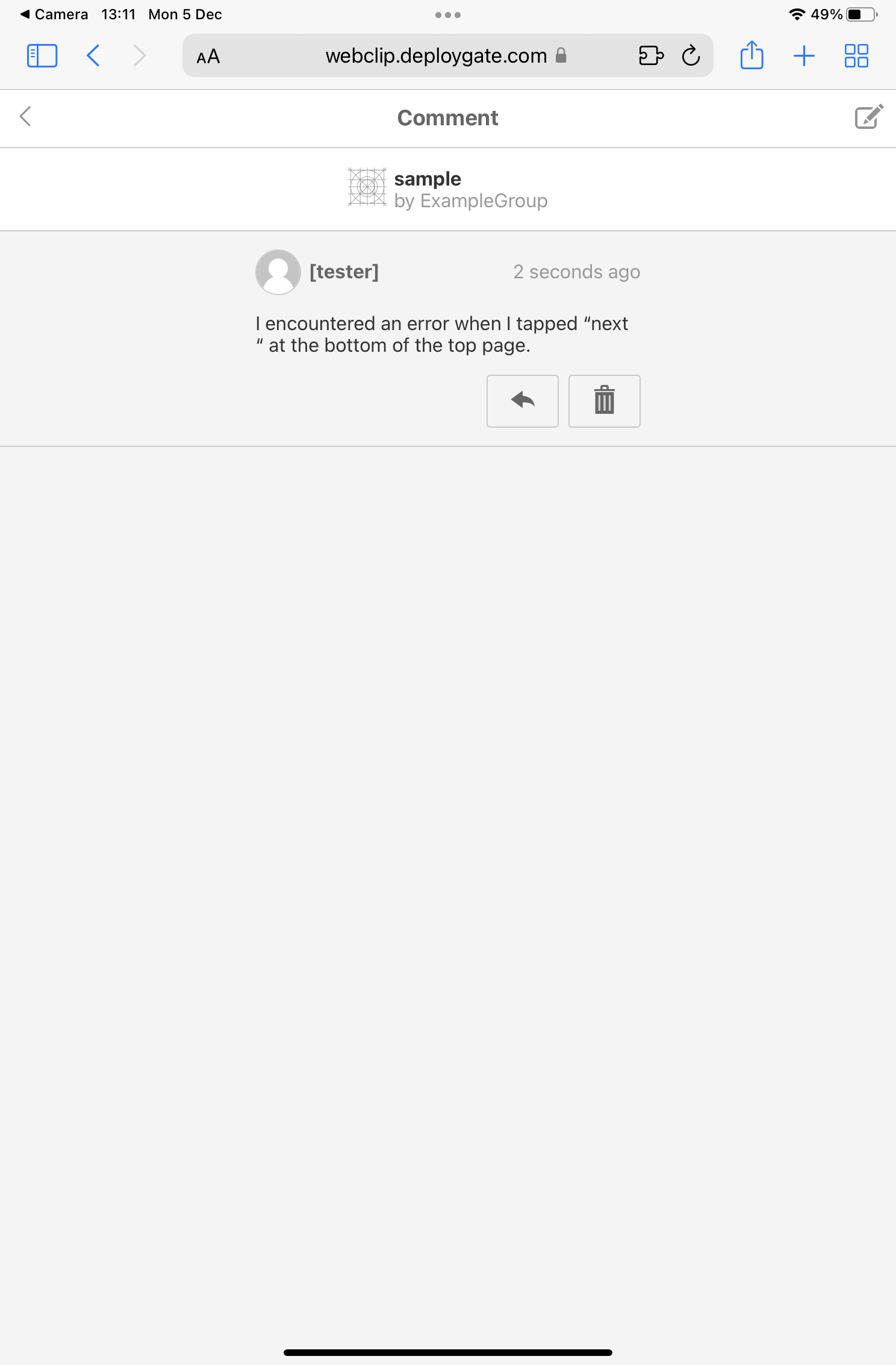
All posted comments can be viewed by everyone participating in testing through the same distribution page.
Changing Your Tester Display Name
A default tester name is assigned automatically. You can change it by following the steps below.
- Open the details screen of the distributed app and tap
Change. You can also change your name from the comment screen. - Enter your preferred name in the text box that appears, then tap
Save Tester Name.
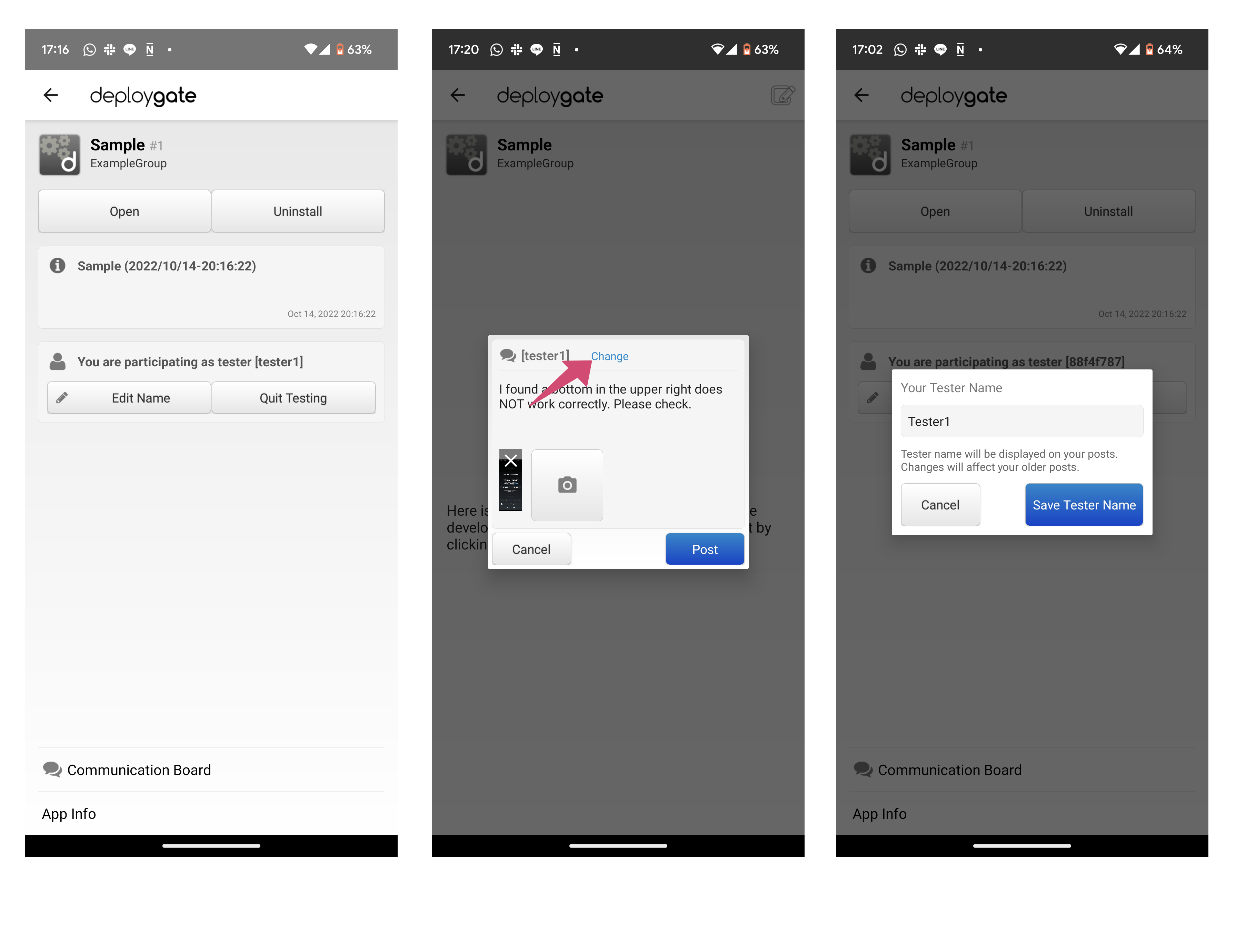
- 3–20 alphanumeric characters
- Allowed special characters: Underscore (_)
Changing your tester name will also update the name associated with all your previously posted comments.
- Confirm that your name has been updated on the app details screen.