Delete Organization
If you are using Flexible/Enterprise plan, please visit this page.
Only owners of the Organization can perform this operation.
Please delete the Organization ONLY if plan has been already cancelled.
Note that you cannot restore the deleted Organization under any circumstances.
The Organization that remains inactive for one year after cancellation will be automatically deleted even if you do not delete it manually. For more details, please review this page.
-
If you have not yet canceled your plan, please do so first. For instructions on how to cancel, please see the relevant section of this page.
-
Go to the Organization detail page and click
Settingsbutton at the top right of the page.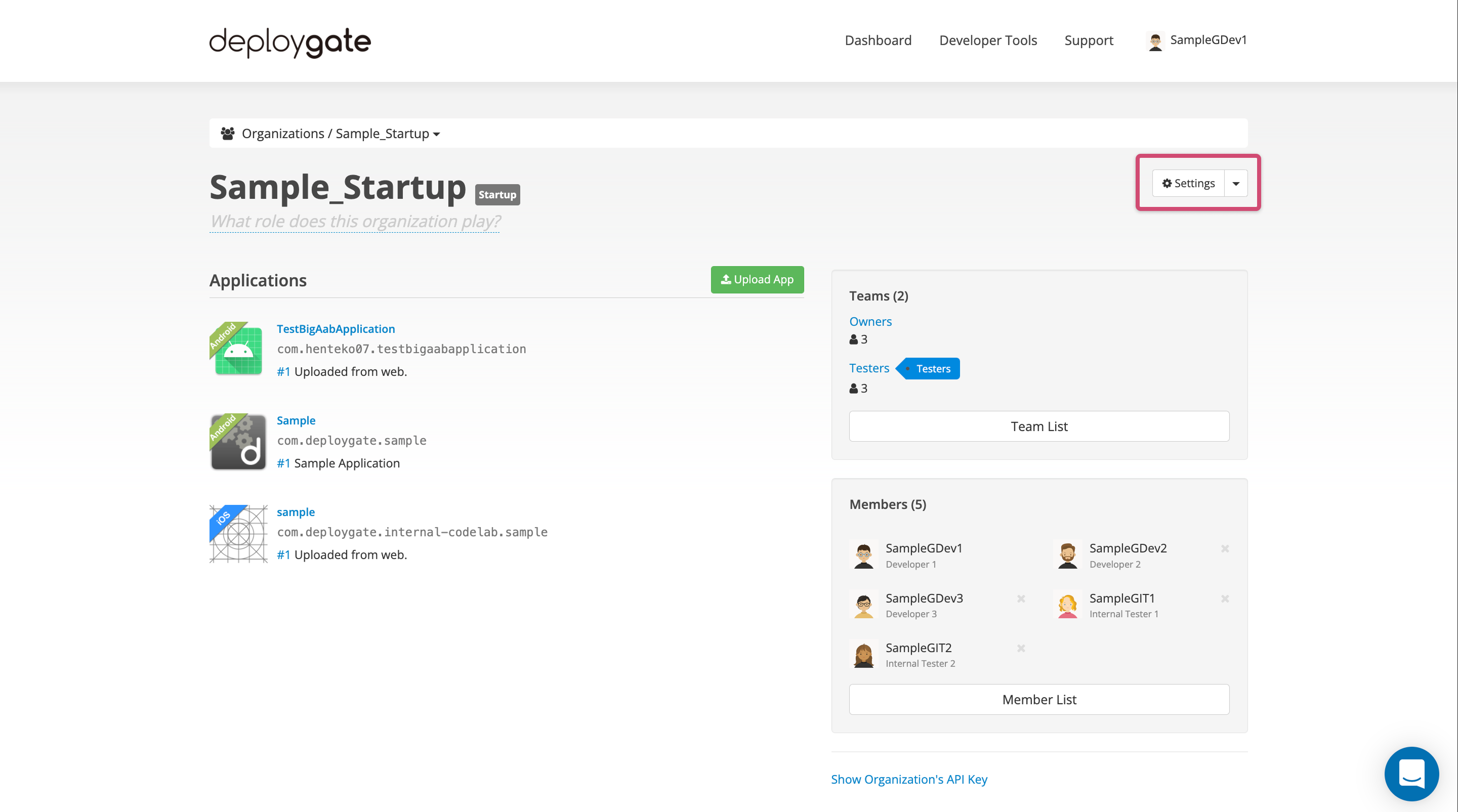
-
Click the
Delete this Organization?link at the bottom of the page. TheDelete this Organizationbutton will appear. Click this button to proceed with the deletion.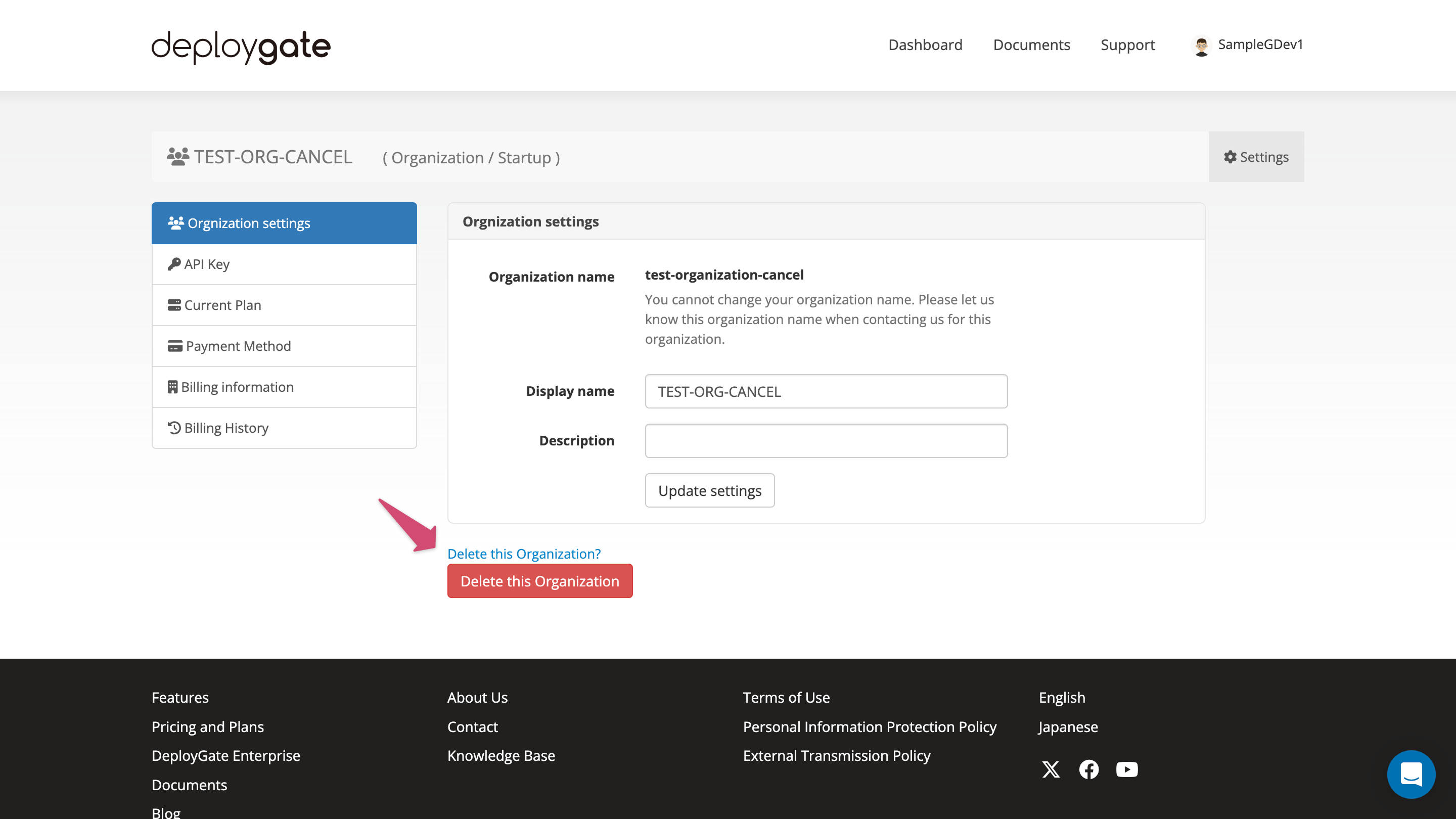
-
When modal for delete confirmation appears, click
okto delete the Organization completely.